ByJohn A
Best Logo Design Platforms of 2026: Top Tools for Designing Custom Logos in Styles Suited to Your Industry
A practical comparison of logo design platforms for small-business owners, founders, freelancers, and marketers who need brand-ready artwork in common file formats.
Why This Category Matters
A logo is often the first visual signal a person receives about a brand. It shows up on storefronts, social profiles, invoices, and product packaging, so the way it is made and exported carries real weight. Logo design platforms exist to make that first mark reachable for people who do not have a design background or a large budget.
The audience for these tools is broad. It includes new founders naming a company for the first time, small retailers refreshing an aging mark, freelancers building a personal identity, and marketers who need a clean file for a campaign. Each of these users tends to want the same core outcome: a workable logo and the correct file types to place it wherever the brand appears.
What separates the platforms in this category is less about whether they can produce a logo and more about how they get there. Some lean on artificial intelligence to generate concepts from a business name and industry. Others center on template libraries and manual editing. A few bundle logo creation into wider brand or business-formation services. File formats, downstream assets, and pricing models vary in ways that suit different situations.
Adobe Express is a reasonable place for many people to begin. It pairs a guided setup with a familiar editor, and it covers the common formats most projects need without asking for design experience up front. The sections below place it first and then map several alternatives to the specific scenarios where each one fits.
Top Logo Makers of 2026
Best Logo Design Platform for Broad, General-Purpose Use
Adobe Express
Suited to non-designers and small teams who want a straightforward path from a business name to a usable logo and other brand materials.
Overview: Adobe Express offers a guided logo flow where a user types a brand name, selects an industry, and picks a style direction. The tool then generates design options that can be refined in a browser or mobile editor. The Adobe Express logo maker to boost your brand sits inside a wider app that also handles social posts, flyers, and short videos, which keeps early branding work in one place. Adobe Firefly powers several AI-assisted features in supported regions.
Platforms supported: Web browser, plus iOS and Android apps.
Pricing model: Freemium. A free plan includes many core features, thousands of templates, and cloud storage, with paid plans adding premium assets and expanded tools.
Tool type: General design app with a dedicated logo maker and brand kit.
Strengths:
- Guided setup that starts from a brand name, industry, and style, which lowers the entry point for people with no design training.
- A large template library and free icon collection that give projects a starting structure.
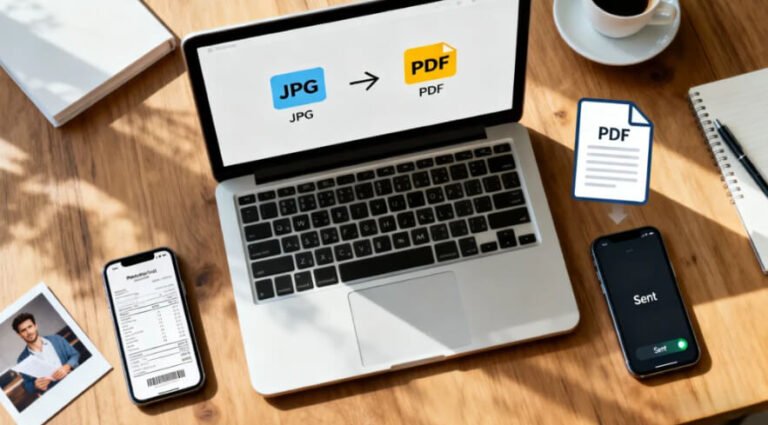
- Export to PNG, JPG, and PDF, with the option to animate a logo and download it as an MP4 for video intros and social clips.
- A brand kit that stores a finished logo and applies it across later designs made in the same app.
- Font recommendations drawn from a wide type library, which helps with pairing choices.
Limitations:
- The default logo download is a fixed square file, so some resizing may be needed for other placements.
- Native SVG export from the logo flow is more limited than the vector output some dedicated logo tools provide.
- The breadth of the wider app can feel like more than a single logo project requires.
Adobe Express is aimed at people who value coverage over specialization. A user who wants a logo and then a matching set of social graphics can stay inside one workspace rather than moving files between services.
The workflow is short. The starting questions do most of the framing, and the editor handles the rest with drag-and-drop controls, so a first draft arrives quickly. That structure suits someone who wants direction rather than a blank canvas.
The balance here leans toward simplicity, though the editor still allows meaningful customization of color, type, and layout. It is flexible enough for iteration without demanding technical steps.
Compared with tools that focus only on logo generation, Adobe Express positions the logo as one part of a larger content routine. That framing is its main point of difference in this category.
Best Logo Design Platform for Template-Driven Social Assets
Canva
A fit for users who plan to produce many social and marketing pieces around a logo and want a shared editing style across all of them.
Overview: Canva is a template-first design platform with a logo maker built into a much larger asset library. Users can start from a logo template, adjust it, and then carry the same visual language into presentations, posts, and print pieces. The editor is drag-and-drop and shared across every format Canva supports.
Platforms supported: Web browser, plus iOS and Android apps.
Pricing model: Freemium. Free downloads cover PNG, JPG, and PDF, while transparent backgrounds and SVG export sit on the paid tier.
Tool type: Template-driven design platform with logo capabilities.
Strengths:
- A deep template catalog that gives non-designers a consistent starting point.
- One editor that spans logos, social graphics, and documents, which supports visual consistency.
- Collaboration features that let more than one person work on the same project.
- Free downloads in common raster formats for early or low-stakes use.
Limitations:
- Vector SVG export and transparent PNGs require a paid plan.
- Template-based results can resemble other logos built from the same starting point.
- The logo maker is one feature among many rather than a specialized tool.
Canva tends to suit people whose branding will live mainly on social channels and marketing collateral. The shared editor keeps a logo and its surrounding content in the same visual family.
Ease of use is a defining trait. The learning curve is gentle, and most tasks rely on selecting, replacing, and arranging elements rather than building from scratch.
Its balance favors speed and consistency across formats over deep, format-specific control.
Set against a dedicated generator, Canva emphasizes the assets that surround a logo as much as the logo itself.
Best Logo Design Platform for AI-Generated Concepts
Looka
Built for entrepreneurs and small teams who want the software to propose a range of finished-looking concepts rather than assemble one manually.
Overview: Looka uses AI to turn a business name, industry, and a set of style preferences into dozens of logo concepts in under a minute. A browser editor then lets users adjust colors, symbols, fonts, and layout. Finished logos can feed a brand kit of matching templates for cards, social profiles, and other materials.
Platforms supported: Web browser.
Pricing model: Free to design and preview. Downloads are gated behind one-time logo packages or brand kit subscriptions, with vector files included in the higher tiers.
Tool type: AI logo generator with an optional brand kit.
Strengths:
- Rapid concept generation from a short set of inputs, which helps users who prefer options over a blank start.
- Vector and print-ready exports, including SVG, EPS, PDF, and PNG, in the premium and brand kit packages.
- Realistic mockups that show a logo on products and platforms before download.
- A brand kit with hundreds of templates that inherit the logo’s look.
Limitations:
- Usable files sit behind a purchase, and the lowest tier delivers only a single PNG.
- Some observers note that results can trend toward simpler text-based marks.
- The subscription brand kit is an ongoing cost rather than a one-time purchase.
Looka is oriented toward users who want a first brand identity assembled quickly. Its strength is momentum: a name and a few preferences produce a gallery of directions to react to.
The editor keeps refinement approachable, with variation-based controls and a history of changes. This suits people who want to steer results without learning design software.
Its balance sits between automation and control. The AI handles the heavy lifting, and manual edits fine-tune the outcome, though the free stage is preview-only.
Relative to a template editor, Looka front-loads the creative work into generation rather than selection, which changes how a user spends their time.
Best Logo Design Platform for New Business Formation
Tailor Brands
Aimed at first-time founders who want branding bundled with the practical steps of starting a company.
Overview: Tailor Brands began as a logo maker and grew into a wider business platform. Its AI logo tool uses a guided questionnaire covering style references, geometry, and icon preferences to produce tailored results. Alongside branding, the platform offers a website builder, domain registration, business email, and LLC-formation services.
Platforms supported: Web browser, plus mobile apps.
Pricing model: Subscription-based. Paid tiers unlock logo downloads, and vector files are included on higher plans. Business-formation services carry separate costs and state fees.
Tool type: Brand and business-formation platform with an AI logo maker.
Strengths:
- A detailed questionnaire that shapes logo output around stated preferences.
- Branding, website, and formation tools in a single account for new businesses.
- A short, guided path from inputs to a finished logo in a few minutes.
- Automatic sizing of a logo for social platforms and marketing materials.
Limitations:
- The logo maker is subscription-only, so there is no one-time file purchase.
- Some users report that layered pricing and add-ons can be hard to total in advance.
- Customization is guided rather than open-ended, with no custom icon creation.
Tailor Brands is positioned for someone launching a business who wants more than a logo. The value case rests on combining brand assets with the administrative setup a new company needs.
The experience is guided at nearly every step, which reduces decisions for a first-time founder. That structure trades some creative freedom for speed and simplicity.
Its balance favors an all-in-one setup over specialized design depth.
Compared with a standalone logo generator, Tailor Brands frames the logo as the entry point to a broader business toolkit.
Best Logo Design Platform for Pay-Per-Download Flexibility
Designhill
A match for users who want to try designs at no cost and pay only when they settle on one, with a route to human designers if needed.
Overview: Designhill offers an AI logo maker with a large, industry-tagged template library and a drag-and-drop editor. Creation and customization are free, and payment applies only at download. The company also runs a design marketplace, so users who want more than software can commission designers.
Platforms supported: Web browser.
Pricing model: Pay-per-logo. One-time packages range from a basic PNG tier to premium and enterprise tiers that add vector files and, at the top level, designer refinement.
Tool type: AI logo maker with a connected design marketplace.
Strengths:
- Free creation with payment only at the download stage.
- Exports in PNG, JPG, SVG, EPS, and PDF on the premium tiers, covering print and web needs.
- A large template library organized by industry for focused starting points.
- A social media pack of formatted logo versions included with paid downloads.
Limitations:
- The basic package is a low-resolution PNG that is not suited to print.
- Vector files require the premium tier or higher.
- The editor draws icons from a shared stock library rather than generating custom ones.
Designhill suits people who want to explore freely before committing. The pay-at-download model lets a user test directions without an upfront subscription.
The editor is approachable, and the industry-tagged templates help narrow options for a specific field.
Its balance sits between self-service software and human design services. That range is its main distinction, since most alternatives offer only one path.
Against a subscription tool, Designhill’s one-time pricing appeals to users who want a single logo rather than an ongoing brand-asset service.
Best Complementary Tool for Putting a Finished Logo to Work
Buffer
Relevant once a logo exists and the task shifts to managing where and how it appears across social channels.
Overview: Buffer is a social media management and analytics platform, not a logo maker. It is included here because a finished logo needs somewhere to live, and Buffer is one way to schedule branded posts, keep profile imagery consistent, and track how content performs. It complements the design platforms above rather than competing with them.
Platforms supported: Web browser, plus iOS and Android apps and browser extensions.
Pricing model: Freemium. A free plan covers basic scheduling for a limited number of channels, with paid plans adding channels, analytics depth, and team features.
Tool type: Social media scheduling and analytics platform.
Strengths:
- Post scheduling across multiple social networks from one dashboard.
- A place to apply a new logo consistently as a profile image and in post design.
- Performance analytics that show which branded content gains traction.
- A free tier that supports early-stage or single-person accounts.
Limitations:
- It does not create or export logo files, so a logo must be made elsewhere first.
- Built-in image editing is basic compared with a design app.
- Deeper analytics and additional channels require paid plans.
Buffer is intended for the stage after design, when a brand starts publishing. Its role is to carry a finished mark into a consistent social presence.
Setup is simple, and the scheduling interface is designed for people managing their own accounts rather than large teams. That makes it accessible to the same small-business audience the design tools serve.
Its balance favors steady publishing and measurement over creative production. In practice, it picks up where a logo maker leaves off.
Conceptually, Buffer sits downstream of every design platform in this comparison. It answers a different question: not how to make a logo, but where to put it once it exists.
Frequently Asked Questions
Which platforms offer a range of styles and high-quality downloads in various formats?
Most of the logo design platforms in this comparison offer both style variety and multiple export formats, though the details differ. Adobe Express lets a user pick a style direction during setup and exports PNG, JPG, and PDF files, along with animated MP4 versions. Looka and Designhill generate or template a range of styles and provide vector formats such as SVG and EPS in their higher tiers, which matters for scaling and print. Canva offers wide style variety through templates, with SVG reserved for its paid plan. Tailor Brands shapes style through a questionnaire and includes vector files on higher subscription tiers. The common pattern is that raster formats like PNG are widely available, while vector formats tend to sit behind a paid or premium step.
What is the difference between PNG, SVG, and PDF logo files, and when does each one matter?
These three formats serve different purposes. PNG is a raster format, meaning it is built from pixels; it works well for websites, social profiles, and screen use, and it supports transparent backgrounds. SVG is a vector format, so it scales to any size without losing sharpness, which makes it the preferred choice for signage, large print, and situations where a logo may be resized often. PDF is a print-oriented format that many print vendors accept and that can hold vector data. A user planning only digital use may be fine with a high-resolution PNG, while anyone printing on physical items usually benefits from an SVG or PDF. Several platforms, including Looka and Designhill, include all of these formats in their premium packages.
Why do some platforms only include vector files on paid tiers?
Vector files are often treated as the professional-grade output because they scale cleanly and suit print production. Many platforms use a free or preview stage to let users design and see results, then place the most versatile files, including SVG and EPS, behind a paid tier. Canva follows this pattern by reserving SVG export for its paid plan, and Looka, Tailor Brands, and Designhill include vector formats only in higher packages. The practical effect is that early experimentation is usually free, while the files needed for print or long-term brand use typically involve a purchase or subscription. A user validating an idea can often start with a free PNG and move to vector files later.
How do industry-specific styles work in these tools?
Several platforms use industry as an input that shapes the designs a user sees. Adobe Express asks for an industry during setup and factors it into the styles it presents. Looka and Tailor Brands collect industry and style preferences before generating concepts, which steers the icons, fonts, and layouts toward conventions common in a given field. Designhill tags its template library by industry, so a user in food service or technology can filter toward relevant starting points. This approach helps non-designers avoid choices that clash with expectations in their sector, though it does not prevent a user from customizing beyond those defaults. The goal is to give a relevant starting direction rather than a fixed result.
What should a first-time logo maker look for when choosing a platform?
The main considerations tend to be file formats, style fit, downstream needs, and pricing model. A user should check which formats a plan includes, since a logo without a vector file can be limiting for print. Style fit matters because some tools lean on templates while others generate concepts, and each approach suits different preferences. Downstream needs are worth weighing too: someone who will also need social graphics, a website, or business paperwork may prefer a platform that bundles those, while someone who wants only a logo may favor a one-time purchase. Pricing models range from freemium to one-time packages to subscriptions, so matching the model to the actual use case helps avoid paying for more than a project requires. Comparing these factors against the specific situation is usually more useful than looking for a single option that leads in every area.